 Joripo
Exports & Joripo Desktop
Data your analysts can open the day it arrives.
Every form's data as CSV, Excel, Stata or SPSS, in the WIDE layout analysts already work with, with a Stata do-file that sets the labels. Scripts can fetch the latest files with a read-only token, and Joripo Desktop keeps an offline copy on Windows and exports it on a schedule.
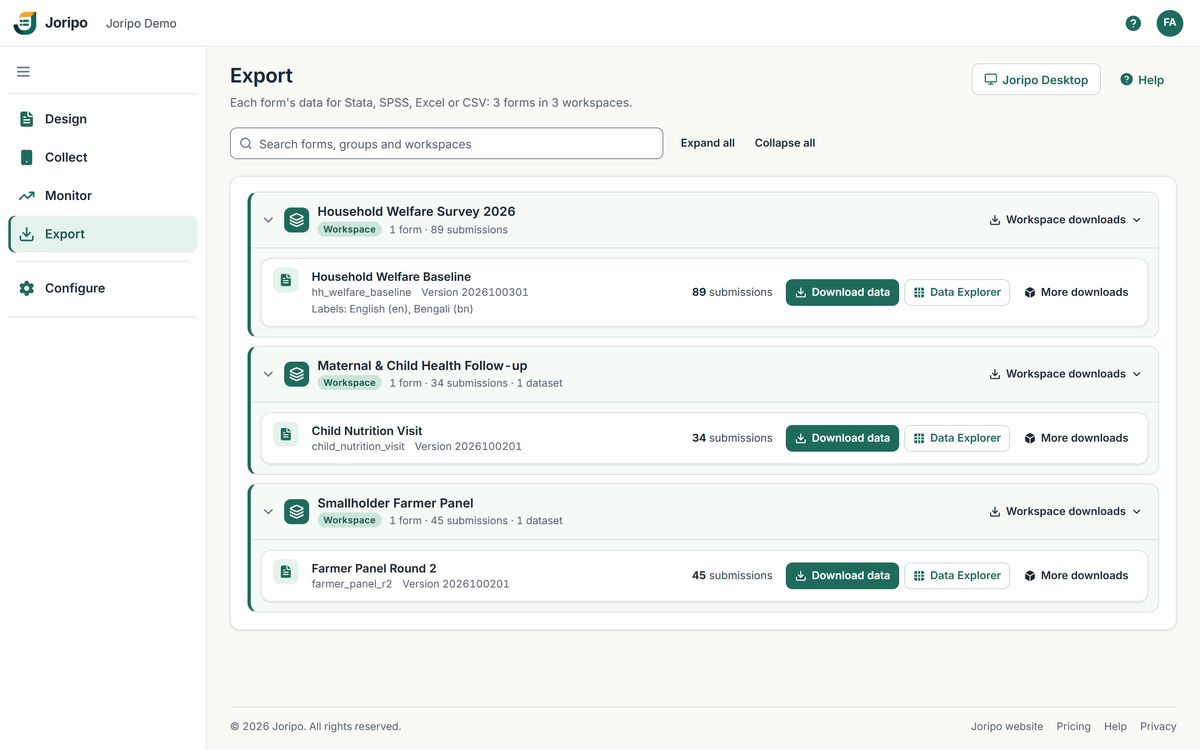
Joripo's console, showing a demo workspace with synthetic data.
File formats
Four formats, and the labels to go with them.
One Export page lists every form you may download, workspace by workspace, with its submission count and label languages. Pick a format and Joripo builds the file on the server: there is no conversion step on your side and no Stata licence needed to get a .dta.
CSV in the WIDE layout
One row per submission, repeats as name_1, name_2, a 0/1 column per select_multiple choice and GPS split into latitude, longitude, altitude and accuracy.
Excel with typed columns
Numbers only in numeric columns and everything else as text, so leading zeros survive and an answer such as =1+1 never turns into a formula.
Stata .dta, made without Stata
The .dta that the do-file would produce, with variable and value labels and types, written entirely on the server.
SPSS .sav
A typed .sav file with variable and value labels in the label language you choose.
Stata do-file with labels
It destrings, converts dates and labels calculates, metadata and each choice column too, so there is no need to run odksplit afterwards.
Every label language
For multilingual forms, one bundle holds the CSV once plus a do-file and .dta for each label language, English and Bangla alike.
Existing pipelines
Master do-files for WIDE files keep working.
The WIDE CSV follows the SurveyCTO-compatible format: UTF-8 without a byte-order mark, SubmissionDate first, fields in form order, then instanceID, formdef_version and KEY. Rows run oldest first and fields from older form versions keep their columns.
The files carry the same names too, so a pipeline that looks for <Title>_WIDE.csv and import_<form_id>.do finds Joripo's. The layout was checked against real exports of seven forms: 700 submissions replayed and 900,500 cells compared, with four forms identical cell for cell and every remaining difference traced to inputs the comparison lacked, such as a missing preload file. Test a form of your own before you switch.
What each file is called
| WIDE data | <Title>_WIDE.csv |
|---|---|
| Stata do-file | import_<form_id>.do |
| Stata data | <Title>.dta |
| SPSS data | <Title>.sav |
| Joripo layout | data_<form_id>.csv |
A label language other than the default adds a language tag to the name. Zips such as the Stata package and the attachments use Joripo's own names.
Joripo layout
The same data, with the field team's columns in front.
Choose Joripo's layout when you want to filter on quality straight away. Each row starts with who collected the interview, when, how long it took, where, and how many quality flags it has. Dates are ISO 8601 and the layout comes with its own do-file.
- In Stata,
keep if n_flags == 0drops every flagged interview - One flag count per submission; the full findings are in the quality report
- Partners without quality access get the same layout without n_flags
Columns before the form's own fields
Also available for every form: a quality report (.xlsx) with flags and their review status, interviews per day and per enumerator, durations, sections and a text audit summary, plus a flag report covering every form in a workspace.
Download data
Choose the subset, the layout and the language once.
Download data opens the export options for a form. The Data Exporter then builds each file in turn and saves it under its real file name, so the do-file finds the CSV it expects.
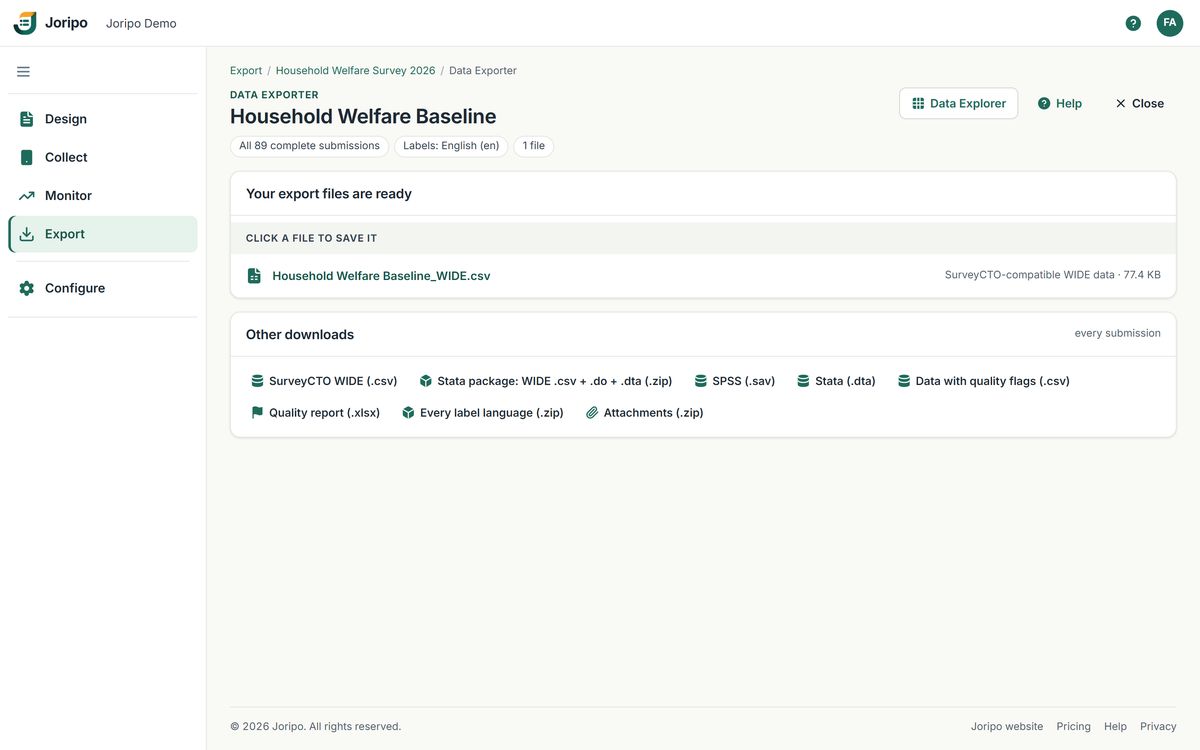
- Files under their real names
Each file is built behind a progress screen and saved with the name your scripts expect.
- The Stata package
One zip with the WIDE CSV, its do-file, the .dta it makes and a README.
- Data with quality flags
Joripo's layout, with enumerator, duration, GPS and n_flags in front.
- Attachments
A folder per submission and a manifest.csv listing KEY, field, file, size and sha256.
Wide or long
SurveyCTO-compatible WIDE or Joripo's layout, or one file per repeat group.
Label language
One label language, or every language the form has.
Which submissions
All of them, a random subset of N, or the last N days. A random subset uses one seed, so every file holds the same interviews.
Exactly what is on screen
In the Data Explorer, Export current data downloads the WIDE CSV after your filters by enumerator, quality, dates and search.
De-identified exports
Share the data without sharing who the respondents are.
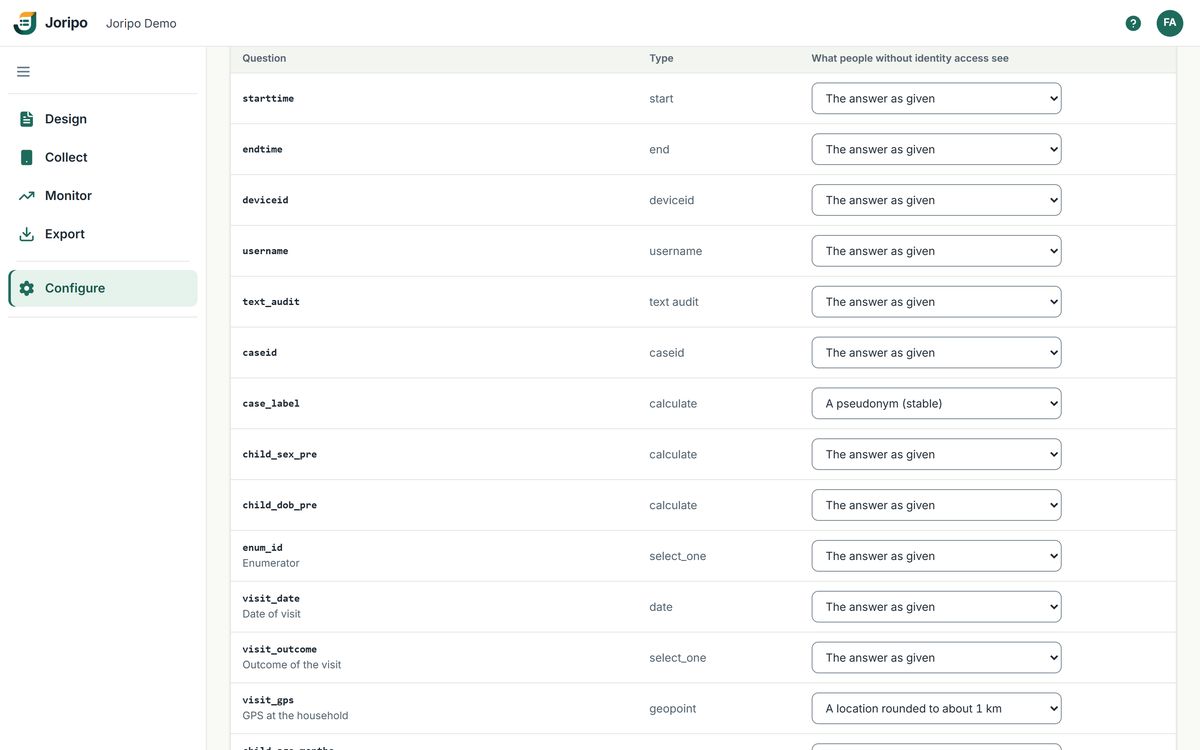
Owners mark the questions that identify a respondent. Anyone without identity access then gets those answers masked, in every file they download.
- Names and phone numbers replaced by a stable pseudonym, the same one every time
- Answers or files redacted, and GPS coarsened to about 1 km
- The same masking in every export file, the Data Explorer, attachments, the API and Joripo Desktop
- Funders and partners with the Data downloader role get one workspace's exports, and never identity access
Scripts and the data API
Let R, Stata or Python fetch the latest export.
Owners, managers and reviewers can create personal API tokens. A script sends the token with a plain HTTP request and downloads any export file, from the WIDE CSV to the .dta, with no browser and no package to install.
- Read-only: a token can download, but it cannot change data or open the console
- It sees exactly what its person sees, checked on every request
- Shown once and stored only as a SHA-256 hash; up to 20 active tokens per person
- Stops when revoked, when the person's password is reset or when they lose data access
There are no webhooks or client libraries: scripts call the server with curl, httr, Stata's copy or Python's requests, on whatever timetable you run them.
Joripo Desktop for Windows
A local copy of the study, exported without a connection.
Joripo Desktop keeps a study folder on a Windows PC with every form version, form media, the server datasets the forms use and all submissions and attachments. It exports from that copy with the server's own export engine, whether or not the office has a connection.
- Signs in like Joripo Collect: server name, email and password, or a code confirmed in the browser
- For owners, managers and reviewers; reads what they can read and changes nothing
- Each computer listed under Connected computers, where it can be disconnected
Incremental sync
Only new and edited submissions come down. Attachments download four at a time, resume after a dropped connection and are checked against sha256.
Offline export
The WIDE CSV and do-file, plus .xlsx, .dta, .sav, long format and every label language. Only changed files are rewritten, and a file open in Excel leaves the previous set untouched.
An export report
A PDF beside the data with counts only: form versions, submissions, first and last received, durations, attachments and any submissions left out.
Export options analysts rely on
Choice labels instead of values or both, a code for questions never shown, leaving out calculated fields, and a KML file of GPS answers.
Open an existing desktop study folder
Export an existing SurveyCTO Desktop data folder with Joripo's engine. Output goes to a new folder and the original is never changed.
Nothing deleted behind your back
Submissions removed on the server are marked in the local copy, never deleted from it.
Scheduled runs
Fresh files in the shared folder every morning.
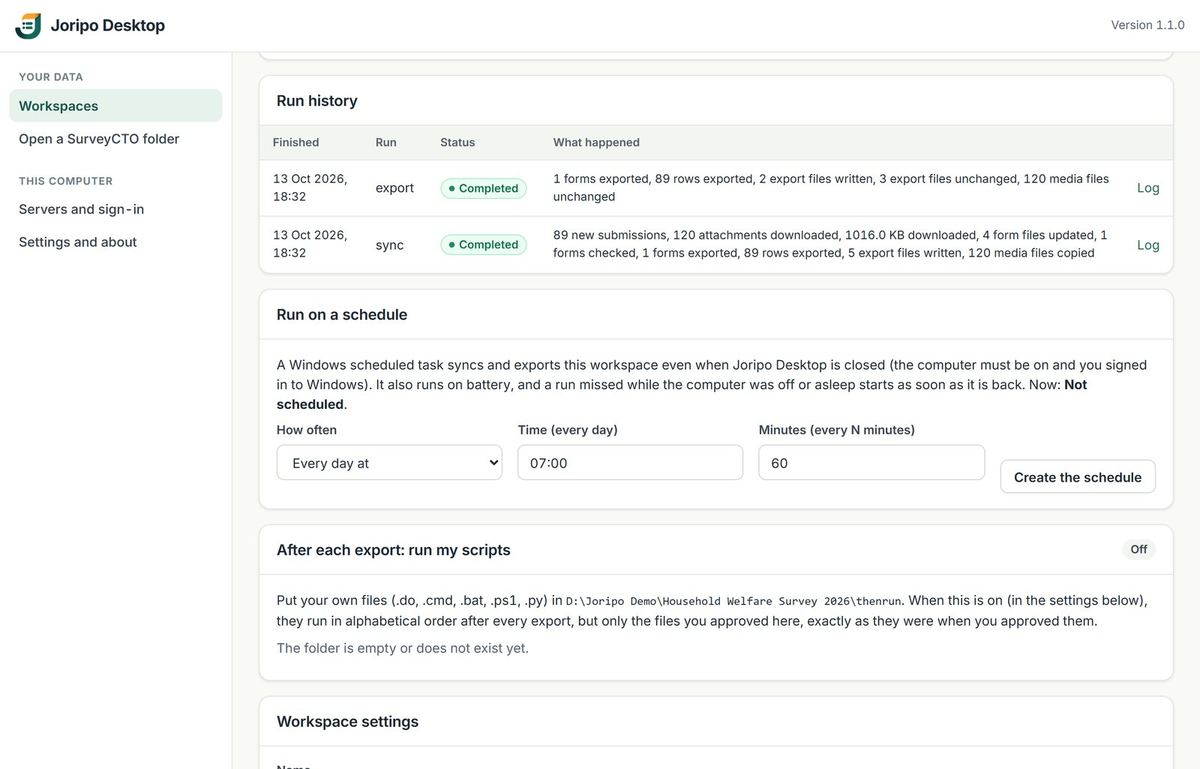
Joripo Desktop can create a Windows scheduled task that syncs and exports a workspace every few minutes, hourly or daily, even with the app closed. It is the one automatic export in Joripo, and it runs on your own PC.
- Windows starts the taskOn battery too, and it catches up on runs missed while the computer was off or asleep. Two runs never overlap.
- New data comes downThe sync fetches only what changed and checks every attachment.
- The files are rewrittenChanged files only, swapped in at once, with the export report beside them.
- Your own scripts run nextIf you turn it on, approved .do, .py, .ps1, .cmd or .bat files in the thenrun folder run in order. A new or edited file stops them all until you approve it.
- The run is recordedCompleted, with warnings or with errors, with counts and a log for each run.
Common questions
Exports, scripts and Desktop
Does Joripo connect to Power BI, Google Sheets or a data warehouse?
Not directly. There is no BI connector, no webhook and no publishing to Google Sheets. What Joripo does give you is files: any tool that opens CSV, Excel, Stata or SPSS can read them, a script with a read-only token can download them on your timetable, and Joripo Desktop can write them to a folder on a schedule.
Can the server send us exports automatically?
No. The server has no export scheduler and sends no email. Automatic exports come from Joripo Desktop's Windows scheduled task, or from your own script calling the API with a token.
Will our existing do-files run on Joripo's files?
They are designed to. The WIDE CSV and its import do-file follow the SurveyCTO-compatible layout and file names, and both were checked against real exports of seven forms. The long format has not been compared, so if you rely on it, test it first. We are glad to look at your files with you: talk to us about moving.
Is there a Mac version of Joripo Desktop?
No, Joripo Desktop runs on Windows only. On a Mac, use the console's exports in a browser, or a script with an API token.
Can a funder download the data without seeing respondents' identities?
Yes. Share one workspace with them in the Data downloader role. External clients never have identity access, so the questions you mark as identifying reach them masked. They cannot hold API tokens or connect Joripo Desktop.
Bring an export your team already depends on.
Send us a form and the do-file you run on its data today. We will show you Joripo's files for it, side by side.
Already using Joripo? Log in to your server.